

A single collage
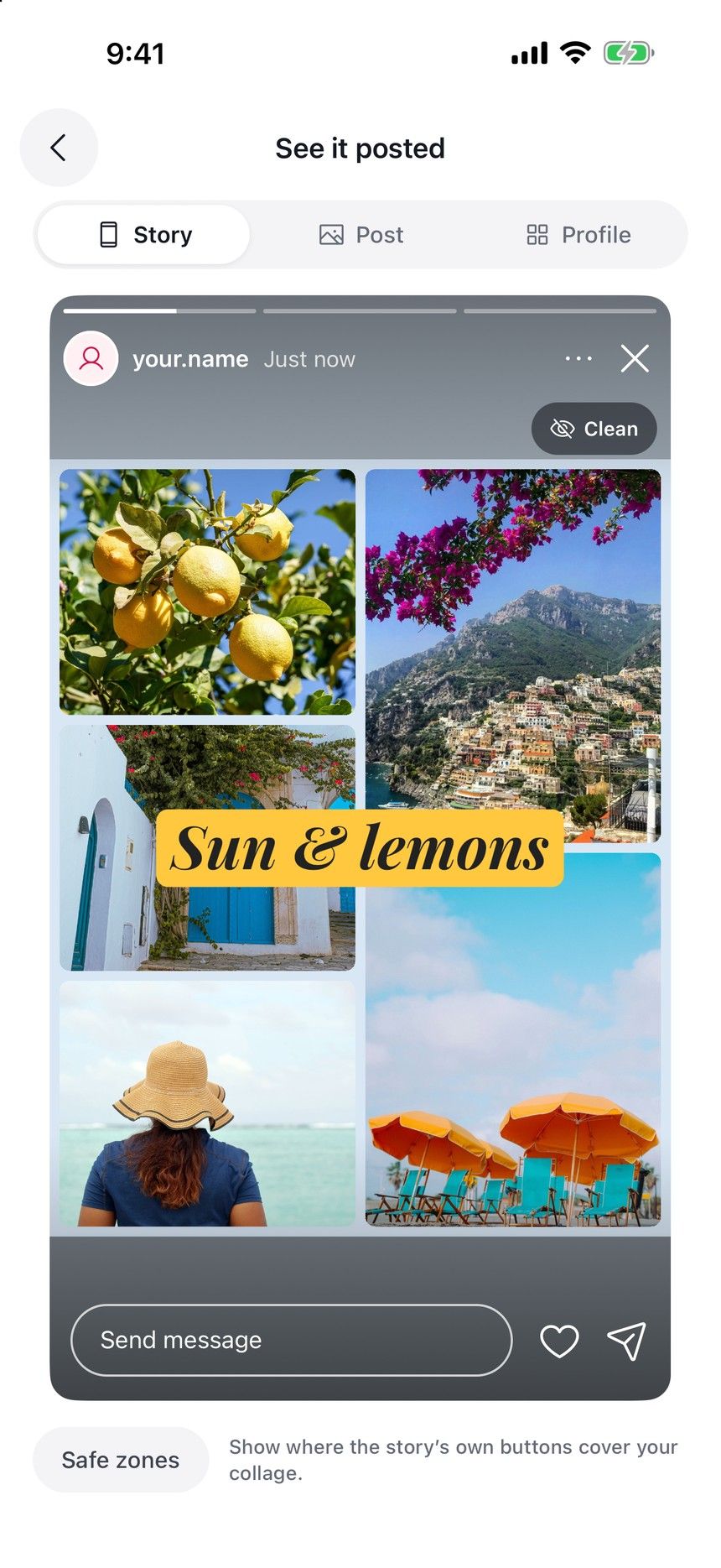
Up to 10 photos in one picture. Choose portrait 4:5 for the feed, 9:16 for a story, or square. Good for a dump people take in at a glance.
Photo dump maker
A photo dump is a loose set of recent photos posted together: coffee, the dog, a sunset, the blurry one from last night. CollageDeck lays them out for you, as a single collage or as a carousel where the pictures run on from one slide to the next, and saves it with no watermark.

Free on iPhone & iPad · In-app purchases




 One carousel, three slides. The dog runs across two of them.
N° 01 Two ways to post it
The same photos can go out as one image or as a carousel. Try both: CollageDeck draws every option with your own photos before you choose.
Up to 10 photos in one picture. Choose portrait 4:5 for the feed, 9:16 for a story, or square. Good for a dump people take in at a glance.
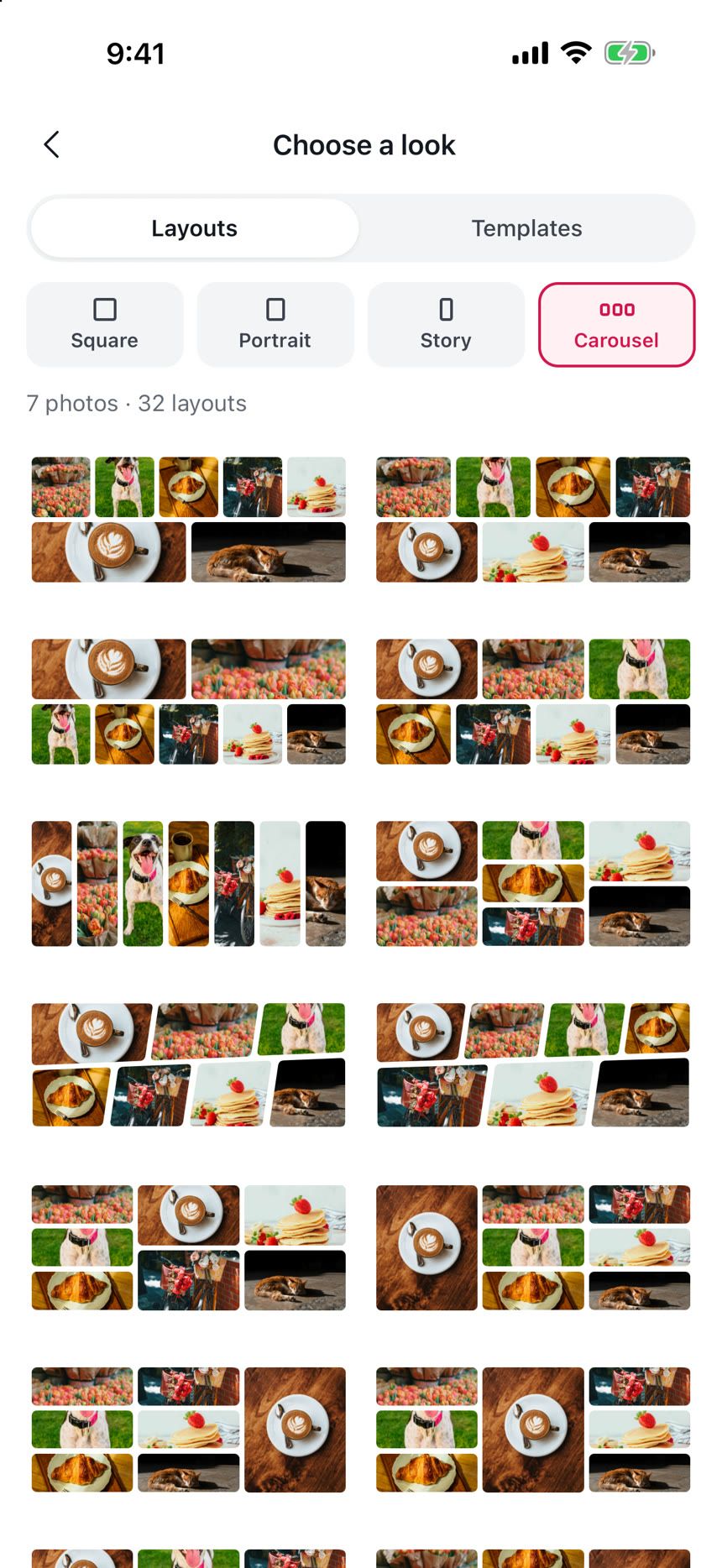
Two to five slides cut from one wide canvas. A photo can start on one slide and finish on the next, which is what keeps people swiping. More on the carousel maker page.
N° 02 The Photo Dump collection
Photo Dump is one of CollageDeck’s ten design collections. Pick your photos first and every design is drawn with them; captions, colors and stickers all stay editable.
Photo Dump Reel is animated and saves as a video.


N° 03 Step by step
Choose 5 to 10. Mix close-ups with wide shots, and keep one quiet photo, a detail or a sky, to give the others room.
CollageDeck draws every layout with your photos. Tap Carousel for slides, or open Templates for the Photo Dump designs.
Swap photos between cells and adjust each crop. The first slide is the one people see in their feed.
Optional: a small caption in a typewriter font, or one sticker from your Recent.
Export saves a carousel as separate photos, already in posting order. On Instagram, pick them in that order.
N° 04 Ideas
The best dumps look casual but have a thread. Six to try, each with the design that suits it.
On the last day of the month, pick one photo from each week and a few extras. Put the strongest one first.
Try: Monthly RecapNo event, just the texture of the last few weeks: the walk to work, a meal, the light in the kitchen.
Try: Life LatelyFriday night to Sunday afternoon in order, so the post reads like a short story.
Try: Weekend DumpThe book, the mug, the song, the shoes: things rather than places, close up.
Try: FavoritesColors and textures that go together, from anywhere in your camera roll. Pick by color, not by date.
Try: Mood BoardThe first coffee, the view, the snack, the ticket, the last sunset. Save the best view for the first slide.
Try: Summer DumpA photo dump is a casual set of recent photos posted together, usually as an Instagram carousel or a single collage: everyday moments rather than one perfect shot.
There is no rule; most use 5 to 10. A CollageDeck layout holds 2 to 10 photos, and a carousel spreads them over 2 to 5 slides.
CollageDeck saves every slide at the same size, 1080 × 1350 pixels (portrait 4:5), so all slides share the first one’s shape. Post them together, in the order they were saved.
Yes. Photo Dump Reel is an animated design, and any collage can be made to move and saved as an MP4. A carousel is saved as still photos.
No. Nothing is stamped on what you save, with CollageDeck Pro or without.
CollageDeck is free to download and every design and tool is there to use. Your first 3 exports are free; CollageDeck Pro makes exports unlimited, weekly, yearly or as a one-time Lifetime purchase.
Keep exploring

CollageDeck for iPhone and iPad.

Free download · In-app purchases · iOS and iPadOS 16.4 or later